Cool Google Docs “Insert Symbol” Feature

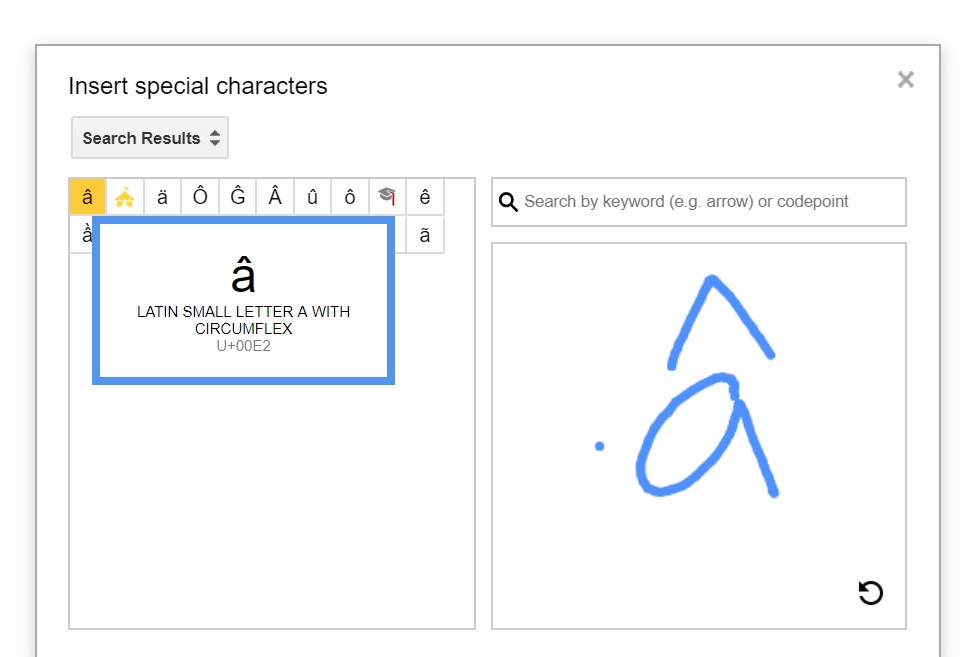
I was just working on something in Google Docs and needed to insert a letter “a” with a circumflex. I clicked on “insert symbol” and searched for “a,” but none of the options were what I needed. Then I noticed that there was a box where you could use your finger to draw the symbol you needed. (I’m working on a tablet; wouldn’t work with an older computer.)

Well, worth a try, I thought.

Definitely worth a try! Look what I got when I drew a picture of what I was looking for. Thanks, Google!
Unknown's avatar

About Katherine Wikoff

I am a college professor (PhD in English, concentration rhetoric) at Milwaukee School of Engineering, where I teach film and media studies, political science, digital society, digital storytelling, writing for digital media, and communication. While fragments of my teaching and scholarship interests may quite naturally meander over to my blog, this space is intended to function as a creative outlet, not as part of my professional practice. Opinions are my own, etc.
This entry was posted in Creativity, Grammar, punctuation, usage, mechanics, Learning, Technology, Writing, blogging and tagged , , , , , . Bookmark the permalink.

2 Responses to Cool Google Docs “Insert Symbol” Feature

  1. Google is amazing! A little scary sometimes, in that it seems it can read my mind, but very cool. I just a new ipad for Christmas. I’ll have to check out some features!! Thanks for the tip! πŸ™‚

    Like

Leave a comment

This site uses Akismet to reduce spam. Learn how your comment data is processed.